
oppo怎样取消照片同步 oppofindx3pro怎么取消照片同步
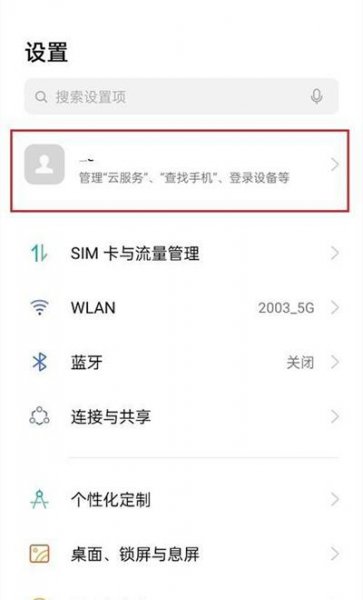
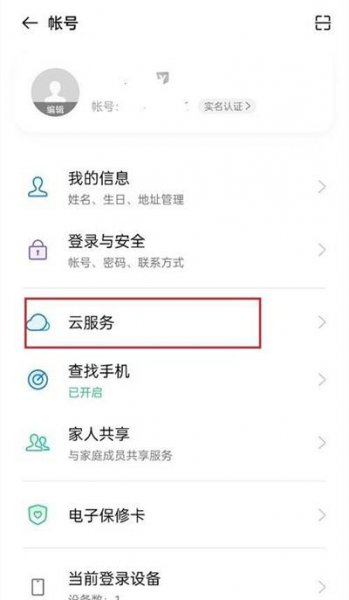
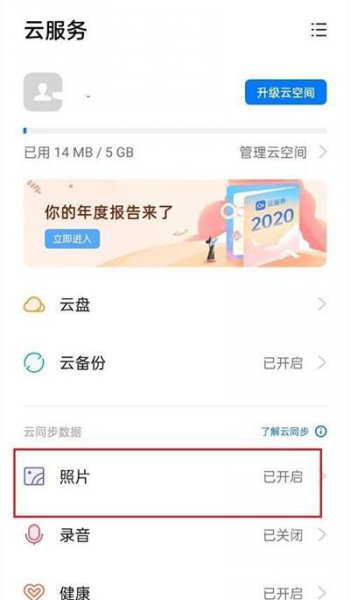
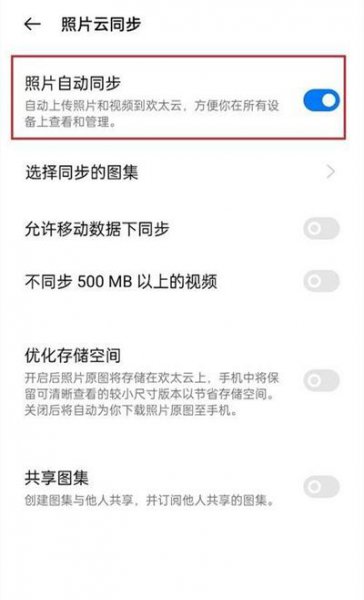
导读:oppofindx3pro怎么取消照片同步,为大家介绍的是oppofindx3pro怎么取消照片同步IT技巧方面的经验,1、在手机设置菜单中点击顶部的OPPO账号。2、点击【云服务】。3、点击【照片】。4、将【照片自动同步】
oppofindx3pro怎么取消照片同步
为大家介绍的是oppofindx3pro怎么取消照片同步IT技巧方面的经验,关于oppofindx3pro怎么取消照片同步 和 怎么关闭相册同步,继续往下看吧!

oppofindx3pro怎么取消照片同步的具体方法步骤
- 1第一步:在手机设置菜单中点击顶部的OPPO账号。
- 2第二步:点击【云服务】。
- 3第三步:点击【照片】。
- 4第四步:将【照片自动同步】右侧按钮关闭即可。
上述的关于怎么关闭相册同步 和 oppofindx3pro怎么取消照片同步的具体介绍,供网友们借鉴参考。


相关阅读
-

小米5nfc手环怎么绑定门禁卡 小米手环5nfc可以绑定几个门禁卡
文章摘要:小米5nfc手环怎么绑定门禁卡的教程内容,小米手环5nfc绑定门禁卡共分为三步,首先进入卡包设置,添加门禁卡,选择门禁卡类型,将门禁卡贴近手环等待模拟完成即可。以下是具体
-

ios15怎么开热点 ios15.15怎么开热点
为网友们详解ios15怎么开热点的电脑方面的小经验,ios15开热点有两种方式,第一种是在设置中开启,第二种是在控制中心开启,下面以在设置中打开为例,以下是具体操作步骤:
-

小米11无线充电怎么充 小米无线充电怎么充不进去
如果想了解小米11无线充电怎么充的方法内容,小米11充无线充电共分为两步,只需使用无线充电器进行充电即可。具体操作步骤如下:
-

oppo手机背景黑色怎么恢复 如何恢复黑色背景的oppo手机设置?
生活小知识篇,关于oppo手机背景黑色怎么恢复的生活小经验,一起来看看吧! 作为一款智能手机品牌,OPPO始终以功能齐全、搭配时尚为其卖点,引领着市场潮流。 但是在使用过程中,用户有