
华为mate50怎么设置虚拟键 华为mate50怎么设置虚拟按键
导读:华为mate50怎么设置虚拟按键,今日小编为你讲解华为mate50怎么设置虚拟按键的内容,华为mate50设置虚拟按键共分为三步,只需在手机导航方式设置中选择导航键即可。以下是具体操作步骤:
华为mate50怎么设置虚拟按键
今日小编为你讲解华为mate50怎么设置虚拟按键的内容,关于华为mate50怎么设置虚拟按键 以及 虚拟按键在哪,一起来看看吧!

华为mate50怎么设置虚拟按键详细操作步骤
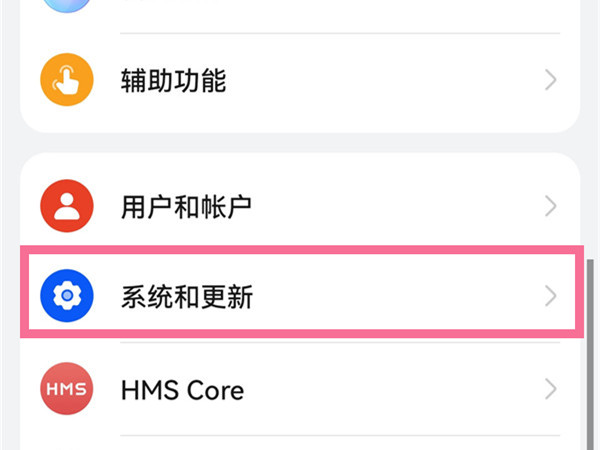
- 1第一步:在手机设置中点击【系统和更新】。
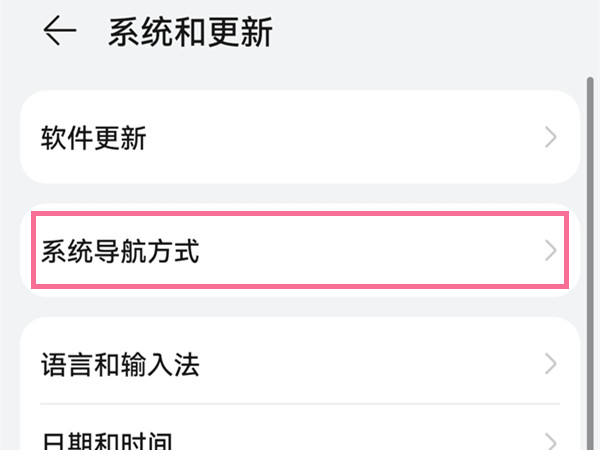
- 2第二步:点击【系统导航方式】。
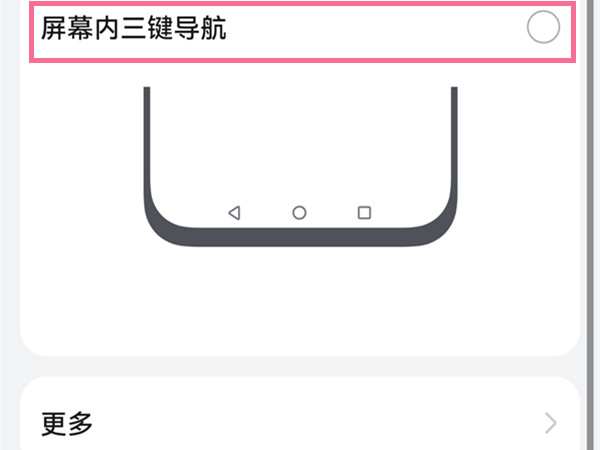
- 3第三步:勾选【屏幕内三键导航】即可。
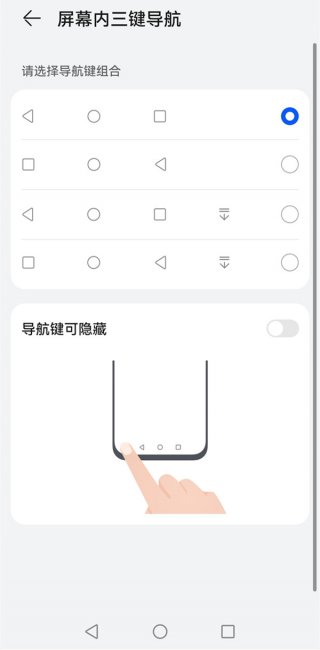
你还可以点击更多设置,选择一种习惯使用的导航键组合方式。
上述分享的虚拟按键在哪 以及 华为mate50怎么设置虚拟按键的全文内容,希望对网友有所帮助!


相关阅读
-

vivos9图标怎么变大 vivo手机图标怎么变大
为大家介绍vivos9图标怎么变大的内容,打开手机设置,点击【桌面、锁屏与壁纸】,点击【桌面设置】选项,点击【图标圆角与大小】进行设置即可。
-

华为watch3怎么测血糖 华为哪款手表可以测血压血糖
本文核心内容:华为watch3怎么测血糖的相关经验,华为watch3测血糖先要连接微创式传感器,有四步,具体操作步骤如下:
-

荣耀手表gs3怎么看微信消息 荣耀手表gs3如何查看微信消息
对于许多网友来说荣耀手表gs3怎么看微信消息的IT知识,荣耀手表gs3看微信消息共需两个步骤,在消息通知中即可操作。具体操作步骤如下:
-
荣耀手机怎么调整时间 怎么修改时间
小编为网友们解答荣耀手机怎么调整时间的话题,荣耀手机调整时间共分为三步,只需要在日期和时间设置中修改即可。具体操作步骤如下: