
ntldr is missing无法开机 ntldr is missing修复解决方法(3)
导读:ntldr is missing修复解决方法,ntldr is missing电脑图解6 7、接着选择并点击 “写主引导程序/引导程序” 。 电脑电脑图解7 8、接着选择 “4重写主引导程序MBR” 。 电脑电脑图解8 9、这时候
ntldr is missing修复解决方法
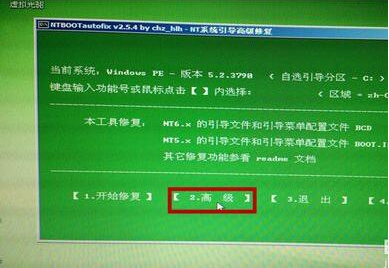
ntldr is missing电脑图解6
7、接着选择并点击“写主引导程序/引导程序”。
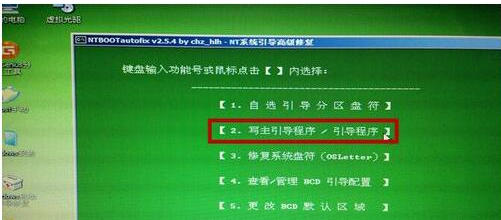
电脑电脑图解7
8、接着选择“4重写主引导程序MBR”。
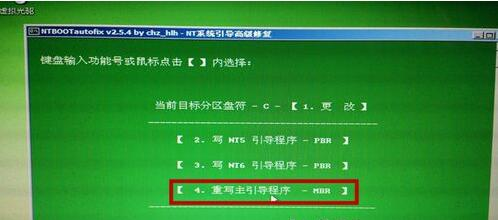
电脑电脑图解8
9、这时候写入成功,点击“返回”,开机重启即可。
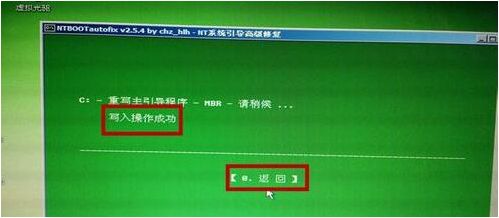
系统故障电脑图解9
相关文章
以上带来的ntldr is missing无法开机 ntldr is missing修复解决方法的详细方法介绍,大家作为一个参考建议.


相关阅读
-
win10杜比音效无法启动 win10安装杜比提示无法启动Dolby
本文摘要:win10安装杜比提示无法启动Dolby的内容,关于win10安装杜比提示无法启动Dolby,如有不对的地方欢迎指正! 不少的IT袋用户在安装win10杜比音效的时候系统提示win10安装杜比音效提示无
-

win10专业版怎么升级 win10评估副本怎么升级正版
IT袋网小编为你介绍win10评估副本怎么升级正版的相关介绍,关于win10专业版怎么升级 win10评估副本怎么升级正版,一定能解决您的问题的,一起来了解吧! 我们日常使用的win10操作系统的时候
-
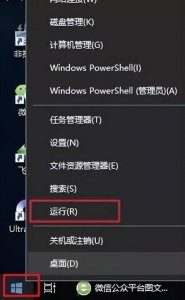
电脑护眼设置参数win10怎么设置 电脑的护眼模式调整
为大家分享电脑护眼设置参数win10怎么设置和电脑的护眼模式调整IT技巧方面的经验,继续往下看吧! 【电脑】第33期分享 对于长时间使用电脑办公一族的小伙伴们注意了,长时间死盯着屏幕对
-

国内最好用的linux系统软件有哪些 免费国内linux服务器推荐
今日小编为你讲解国内最好用的linux系统软件有哪些和免费国内linux服务器推荐的相关经验,很不错的方法小知识,建议收藏哦! 现在,国内的操作系统的发展也十分快速,尤其是深度Deepin操作