
辐射4游戏闪退 win10玩辐射3怎么样才不会闪退(5)
win10玩辐射3怎么样才不会闪退
fAnkleOffset=0.2000
fRagdollFeedback=0.7
[LookIK]
fLookAtTargetGain=0.3
fLookAtGain=0.045
[Interface]
fKeyRepeatInterval=50.0000
fKeyRepeatTime=500.0000
fActivatePickSphereRadius=16.0000
fMenuModeAnimBlend=0.0000
iSafeZoneXWide=15
iSafeZoneYWide=15
iSafeZoneX=15
iSafeZoneY=15
bAllowConsole=1
bActivatePickUseGamebryoPick=0
bUseFuzzyPicking=1
fMenuBGBlurRadius=2.0000
fMenuPlayerLightDiffuseBlue=0.8000
fMenuPlayerLightDiffuseGreen=0.8000
fMenuPlayerLightDiffuseRed=0.8000
fMenuPlayerLightAmbientBlue=0.2500
fMenuPlayerLightAmbientGreen=0.2500
fMenuPlayerLightAmbientRed=0.2500
iMaxViewCasterPicksGamebryo=10
iMaxViewCasterPicksHavok=10
iMaxViewCasterPicksFuzzy=5
fInterfaceTintB=0.8824
fInterfaceTintG=0.9843
fInterfaceTintR=0.6314
bUseImageSpaceMenuFX=0
iSystemColorTerminalRed=33
iSystemColorTerminalGreen=231
iSystemColorTerminalBlue=121
iSystemColorSystemRed=26
iSystemColorSystemGreen=255
iSystemColorSystemBlue=128
iSystemColorMainMenuRed=199
iSystemColorMainMenuGreen=255
iSystemColorMainMenuBlue=165
iSystemColorPipboyRed=26
iSystemColorPipboyGreen=255
iSystemColorPipboyBlue=128
iSystemColorHUDAltRed=255
iSystemColorHUDAltGreen=67
iSystemColorHUDAltBlue=42
iSystemColorHUDMainRed=26
iSystemColorHUDMainGreen=255
iSystemColorHUDMainBlue=128
fRSMFaceSliderDefaultMin=-3.5
fRSMFaceSliderDefaultMax=3.5
fPopUpBackgroundOpacity=0.87
fMenuBackgroundOpacity=0.76
bHideUnavailablePerks=0
[Loading]
sWelcomeScreen1=loading_screen01
sWelcomeScreen2=loading_screen_bethsoft
sWelcomeScreen3=loading_screen_BGS
sWelcomeScreen4=loading_screen_legal
sMainMenuBackground=main_background
sTitleMusic=MainTitle
sInitialSound=fxuiloadscreeninitialui_loadscreen_initial.wav
iMaxScreens=4
iMaxScreens_MainMenu=20
fLoadingTextUpdateInterval=10.0000
fLoadingBkgdUpdateInterval=10.0000
fMainMenuBkgdUpdateInterval=10.0000
fLoadingInitUpdateInterval=5.0000
iNumLocationSpecificScreens=1
[Menu]
fCreditsScrollSpeed=40.0000
iConsoleTextYPos=940
iConsoleTextXPos=30
iConsoleVisibleLines=15
iConsoleHistorySize=50
rDebugTextColor=255,251,233
iConsoleFont=2
iDebugTextFont=3
[GamePlay]
bHealthBarShowing=0
fHealthBarFadeOutSpeed=1.0000
fHealthBarSpeed=80.0000
fHealthBarHeight=4.0000
fHealthBarWidth=40.0000
fHealthBarEmittanceFadeTime=0.5000
fHealthBarEmittanceTime=1.5000
bAllowHavokGrabTheLiving=0
bEssentialTakeNoDamage=1
iDetectionPicks=21
[Fonts]
sFontFile_1=TexturesFontsGlow_Monofonto_Large.fnt
sFontFile_2=TexturesFontsMonofonto_Large.fnt

相关阅读
-
server 2012关机方法 windows server 2012如何关机
今天带来的IT技巧小经验server 2012关机方法方面的介绍,关于server 2012关机方法 windows server 2012如何关机,如有不对的地方欢迎指正! server 2012是一款非常优秀、简单的Windows操作系统,不过许多
-
正负号怎么打出来 键盘上的正负号怎么打出来
小编为大家说一说正负号怎么打出来IT技巧方面的经验,关于正负号怎么打出来 键盘上的正负号怎么打出来,具体详情如下: 正负号是一个不常用的符号,不少的IT袋用户不知道怎么打出来,
-
x230瑁厀in10 x220是否可以升级win11详情
关于这个x220是否可以升级win11详情的IT知识,关于x230瑁厀in10 x220是否可以升级win11详情,接下来分享详细内容。 x220是2012年联想推出的一款笔记本电脑,距今已经快十年的时间了。作为一款旧机
-
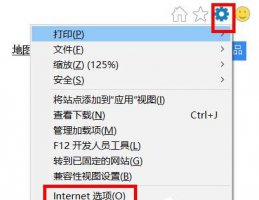
win10internet选项位置详情 win10internet属性在哪里找
这些方法你知道吗?win10internet选项位置详情的教程内容,关于win10internet选项位置详情 win10internet属性在哪里找,继续往下看吧! 很多IT袋的朋友在升级了win10系统后都不知道Internet选项在什么位