
windows hello设置 windows hello开启方法(2)
导读:windows hello开启方法,windows hello指纹开启步骤: 1、按下win+I,打开windows设置,点击账户 2、选择登录选项 3、点击windows hello指纹的设置(需要拥有指纹识别器) windows hello脸部
windows hello开启方法
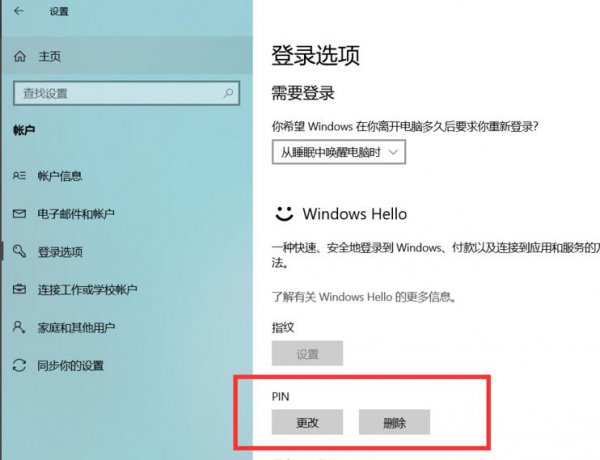
windows hello指纹开启步骤:
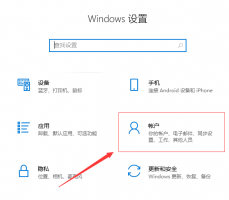
1、按下win+I,打开windows设置,点击账户
2、选择登录选项
3、点击windows hello指纹的设置(需要拥有指纹识别器)
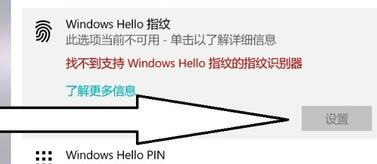
windows hello脸部识别开启步骤:
1、按下win+I,打开windows设置,点击账户
2、选择登录选项
3、点击windows hello人脸识别设置(需要支持人脸识别的摄像头)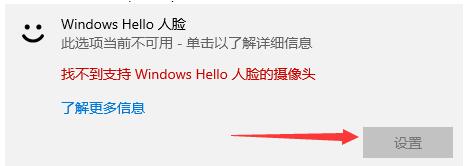
以上分享的windows hello设置 windows hello开启方法的经验小知识,希望看完本文能给您带来一点帮助!
相关阅读
-

工作组找不到计算机 工作组看不到其他计算机解决教程
跟大家分享工作组看不到其他计算机解决教程的电脑小知识,关于工作组看不到其他计算机解决教程、工作组找不到计算机,一起跟随小编看看吧! 创建工作组进行电脑传输的时候有很多伙伴
-

1分钟后将自动重启 win71分钟自动重启解决教程
正文核心导读:win71分钟自动重启解决教程IT技巧方面的经验,关于1分钟后将自动重启 win71分钟自动重启解决教程,如有不对的地方欢迎指正! 很多的用户在win7电脑上进行操作的时候都遇到了
-
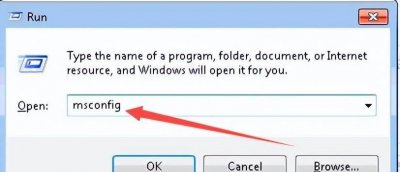
win10设置开机启动项在哪里 教你设置开机启动顺序
对于许多网友来说win10设置开机启动项在哪里和教你设置开机启动顺序的介绍,下面IT袋为您详细介绍 Win7如何设置开机启动项方法/步骤 方法一:按WIN+R组合键。 弹出对话框,输入msconfig,点击
-

win10 2004更新了什么 win10版本19546更新了什么
本文为您带来的是win10版本19546更新了什么的相关知识,关于win10 2004更新了什么 win10版本19546更新了什么,相关内容具体如下: 据小编的到的最新消息,微软公司在2022年1月17日再一次对win10系统