
windows10错误代码0x80070490 windows10错误代码0xc004f211
windows10错误代码0x80070490
正文核心介绍:windows10错误代码0x80070490的方法内容,关于windows10错误代码0x80070490 ,一起来了解了解吧。
当我们在使用安装了win10操作系统电脑的时候,对于使用的过程中系统出现的windows10错误代码0x80070490,如果不知道是怎么回事需要怎样解决的话,小编觉得我们可以尝试一下在管理员权限下打开命令提示符,手动注册Windows Update组件即可。详细步骤就来看下小编是怎么做的吧~

windows10错误代码0x80070490
方法一:
手动注册Windows Update组件:
1. 同时按【Win+X】键,点选【Windows PowerShell(管理员)】
2. 拷贝下方的程序码到刚打开的PowerShell里面,按回车
3. 忽略红字错误,重启电脑
4. 运行Windows Update
$arch = Get-WMIObject -Class Win32_Processor -ComputerName LocalHost | Select-Object AddressWidth
Write-Host "1. Stopping Windows Update Services..."
Stop-Service -Name BITS
Stop-Service -Name wuauserv
Stop-Service -Name appidsvc
Stop-Service -Name cryptsvc
Write-Host "2. Remove QMGR Data file..."
Remove-Item "$env:allusersprofile\Application Data\Microsoft\Network\Downloader\qmgr*.dat" -ErrorAction SilentlyContinue
Write-Host "3. Renaming the Software Distribution and CatRoot Folder..."
Rename-Item $env:systemroot\SoftwareDistribution SoftwareDistribution.bak -ErrorAction SilentlyContinue
Rename-Item $env:systemroot\System32\Catroot2 catroot2.bak -ErrorAction SilentlyContinue
Write-Host "4. Removing old Windows Update log..."
Remove-Item $env:systemroot\WindowsUpdate.log -ErrorAction SilentlyContinue
Write-Host "5. Resetting the Windows Update Services to defualt settings..."
"sc.exe sdset bits D:(A;;CCLCSWRPWPDTLOCRRC;;;SY)(A;;CCDCLCSWRPWPDTLOCRSDRCWDWO;;;BA)(A;;CCLCSWLOCRRC;;;AU)(A;;CCLCSWRPWPDTLOCRRC;;;PU)"
"sc.exe sdset wuauserv D:(A;;CCLCSWRPWPDTLOCRRC;;;SY)(A;;CCDCLCSWRPWPDTLOCRSDRCWDWO;;;BA)(A;;CCLCSWLOCRRC;;;AU)(A;;CCLCSWRPWPDTLOCRRC;;;PU)"
Set-Location $env:systemroot\system32
Write-Host "6. Registering some DLLs..."
regsvr32.exe /s atl.dll
regsvr32.exe /s urlmon.dll
regsvr32.exe /s mshtml.dll
regsvr32.exe /s shdocvw.dll
regsvr32.exe /s browseui.dll

相关阅读
-
笔记本电脑怎么重装系统教程 关于笔记本一键恢复出厂设置方法
这些知识你了解吗?笔记本电脑怎么重装系统教程和关于笔记本一键恢复出厂设置方法的IT小经验,如有不对的地方欢迎指正! 上期教了大家如何制作U盘启动盘,那么 这期自然是教大家如何重
-
edge浏览器麦克风权限开启教程 microsoft edge麦克风权限
对于许多网友来说edge浏览器麦克风权限开启教程的相关介绍,关于edge浏览器麦克风权限开启教程 microsoft edge麦克风权限,下面小编为您详细解答 edge浏览器更新之后有了许多的使用功能,比如
-
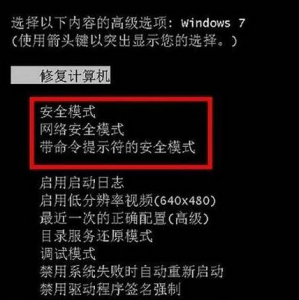
win10怎么进入安全模式杀毒 启用安全模式修复电脑
跟大家聊一聊win10怎么进入安全模式杀毒和启用安全模式修复电脑的相关介绍,相关内容具体如下: 如果Win7系统硬件驱动程序或网络相等,您可以输入安全模式以修复,但对于许多小合作伙伴
-

新手怎么用u盘重装系统win10步骤 BIOS设置启动项的方法
一篇关于新手怎么用u盘重装系统win10步骤和BIOS设置启动项的方法的IT知识,很不错的方法小知识,建议收藏哦! u盘重装win10系统步骤,今天教大家怎么用u盘来安装Windows系统当安装系统前我们